Girls practice safer responses to online abuse before real harm happens.
Interactive scenarios help students recognize warning signs, make safer choices, and learn from realistic outcomes. SisterShield combines verified research, citation-aware AI support, and teacher review to make digital safety education more credible, engaging, and actionable.
View Research, Testing & Business EvidenceDesigned for students, educators, and youth-support organizations
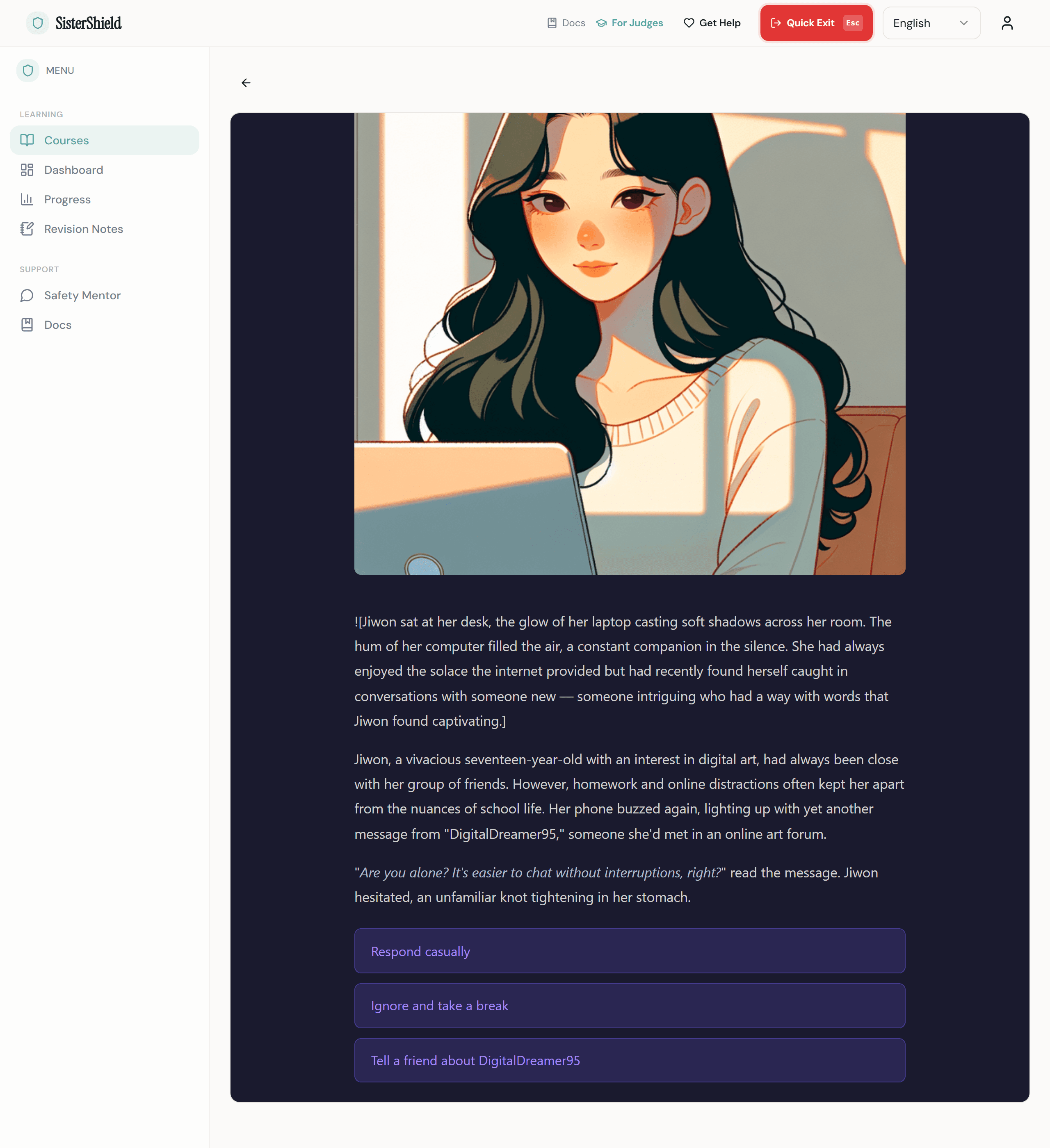
The Problem
Online abuse is widespread. Current prevention tools aren't working.
Yet most prevention education is passive: text-heavy PDFs, one-time assemblies, or awareness posters. And most digital safety tools focus on surveillance (monitoring and blocking) rather than building the skills students need to protect themselves.
Current approaches fall short
- Static resources don't build decision-making skills
- Monitoring tools surveil rather than empower
- Most materials are English-only and culturally narrow
- Students get information about threats but never practice responding
16–58%
of women have experienced technology-facilitated violence
ITU Hub, citing UN Women (2024)
The Solution
See how students learn to respond to real threats.
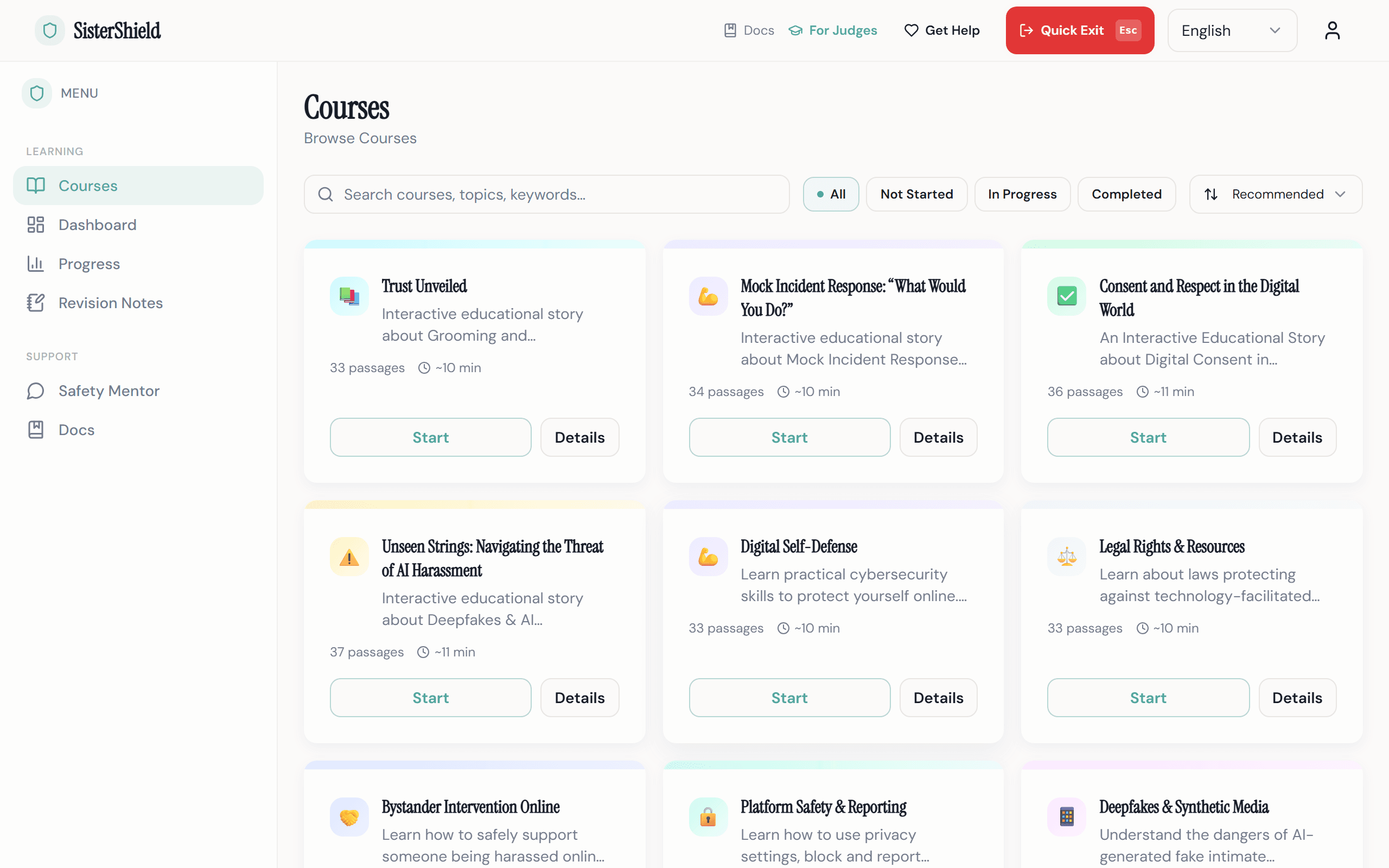
Choose a course
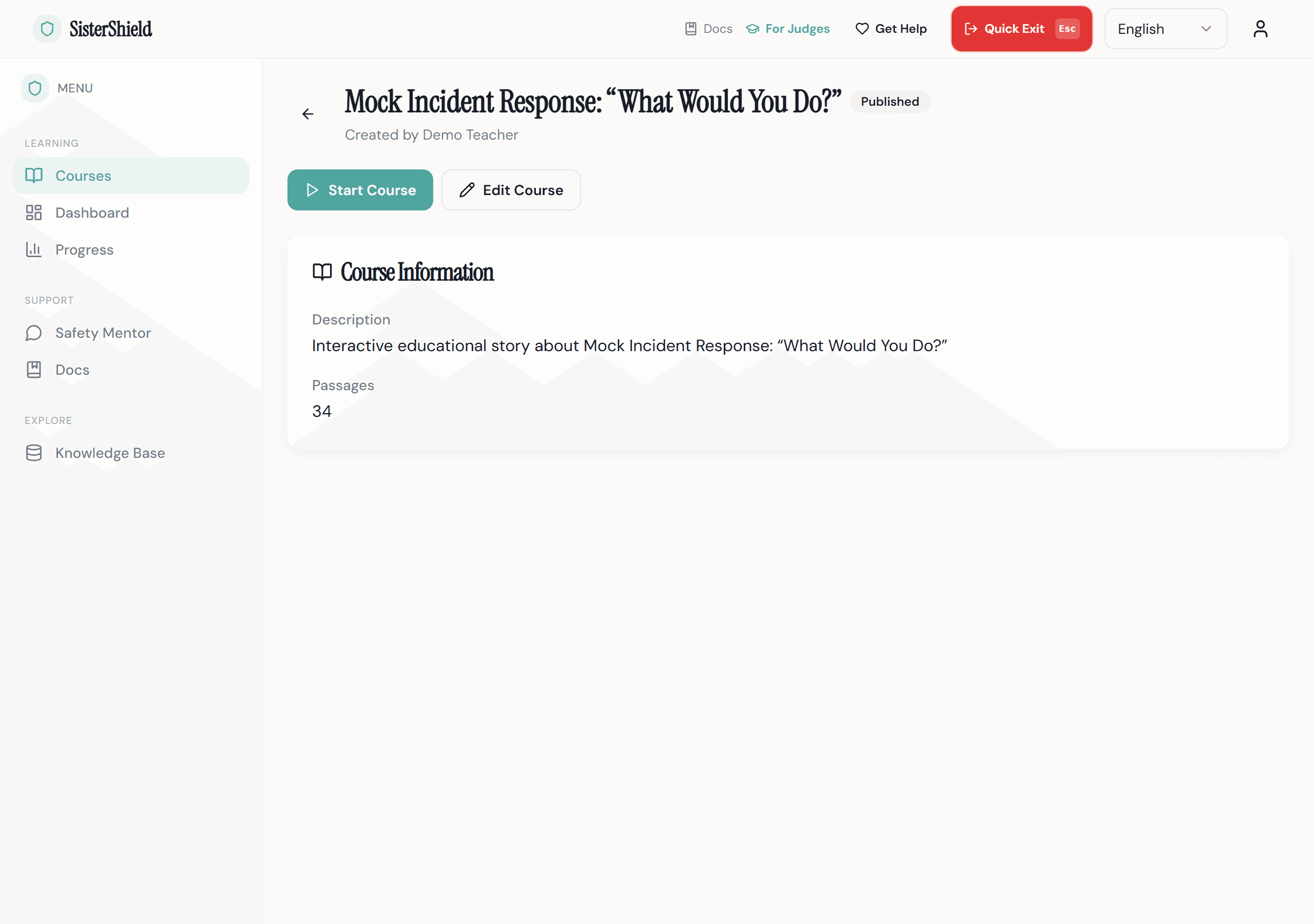
Students browse topic-specific courses (cyberstalking, digital boundaries, image-based abuse, healthy online relationships) and start learning at their own pace.
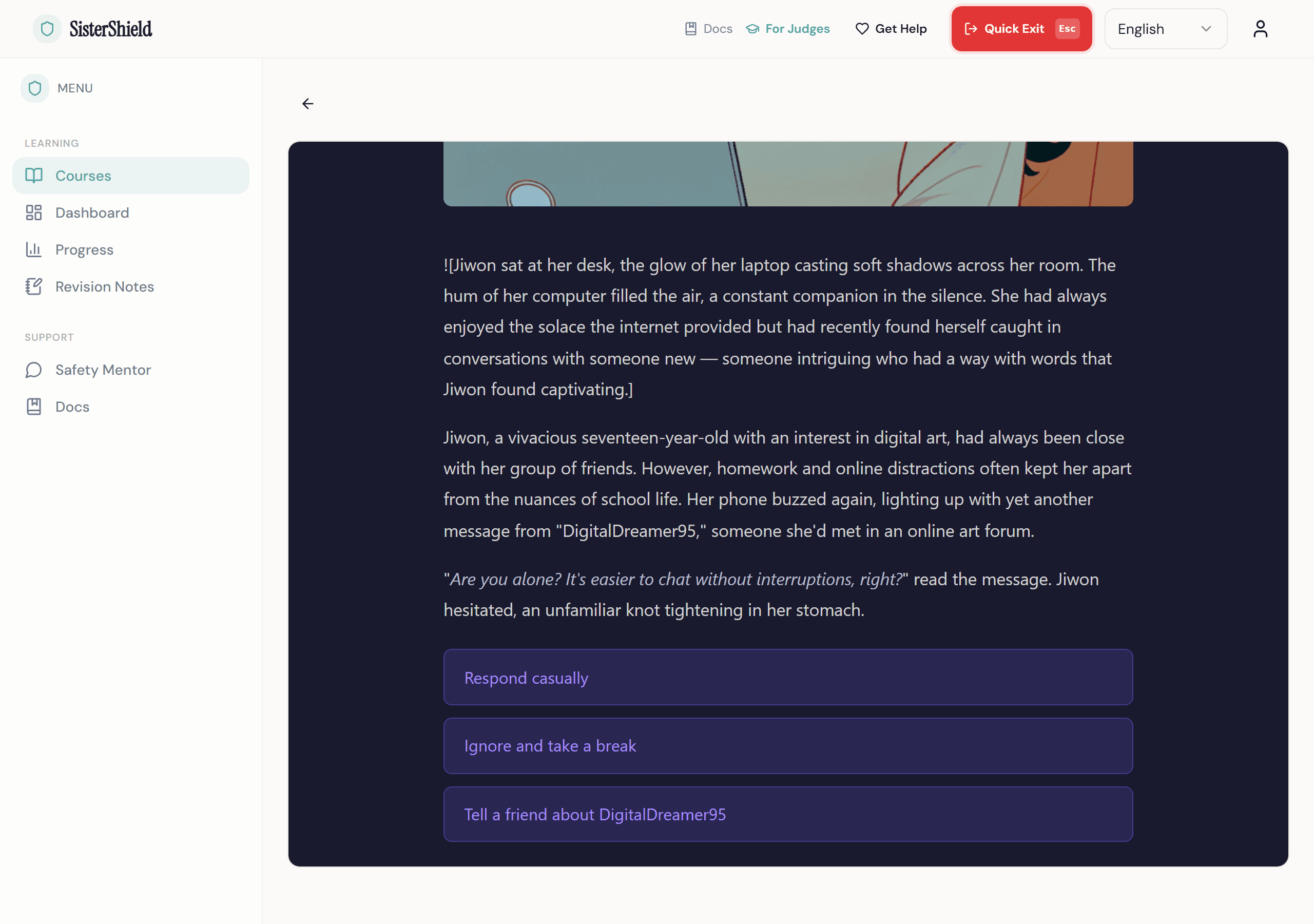
Play through a scenario
Each course is an interactive visual novel. Students read a story, face realistic situations, and make choices. The story branches based on their decisions, with AI-generated illustrations and text grounded in verified research.
Learn from every choice
When a student makes a risky choice, they receive a Learning Moment: not a punishment, but a supportive explanation of why the choice was risky and what a safer response looks like. Every fact is traceable to a source document.
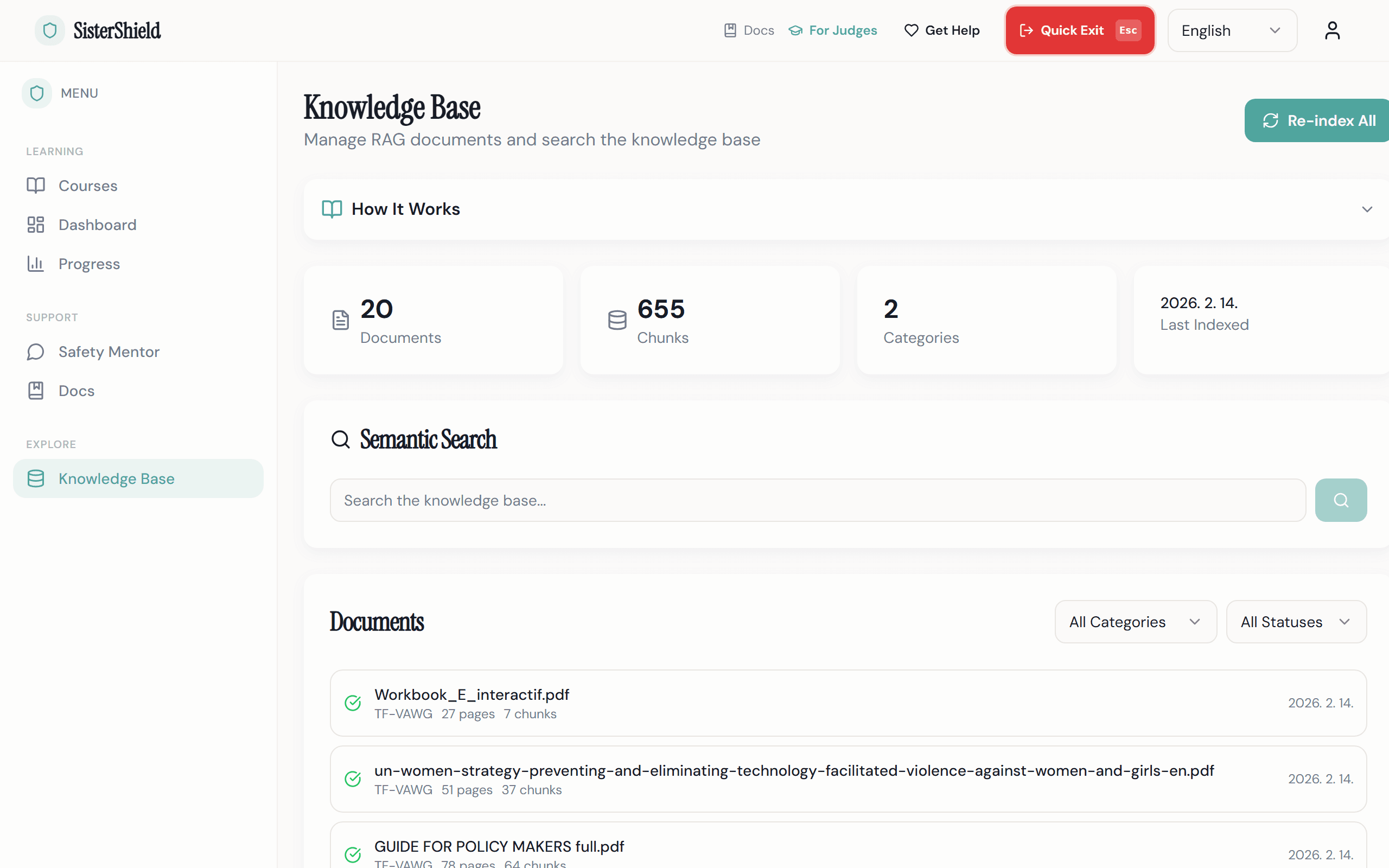
Teachers track and review
Teachers monitor student progress, review AI-generated content before publication, and maintain full control over what students see. No AI content reaches learners without teacher approval.
Designed for Safety
Every feature exists for a reason.
Quick Exit
One click or the Escape key instantly navigates to a safe external site and clears the session. Because some users may be in danger while learning about danger.
Source-Cited AI
Every AI-generated scenario is grounded in verified research through Retrieval-Augmented Generation. Every fact can be traced to a specific source document, page, and relevance score.
Evidence-Based Safety Mentor
A RAG-powered chatbot helps students understand TF-VAWG topics with responses grounded in 153 verified research sources, not generic AI answers.
Teacher Review Gate
No AI-generated content reaches students without teacher approval. Teachers review, edit, and publish courses with full control over what learners see.
Teacher-Created Course Content
Teachers generate and customize interactive courses using AI assistance. Every scenario is authored, reviewed, and published by educators, not auto-generated.
Interactive Visual Storytelling
AI-generated illustrations and branching narratives bring safety scenarios to life. Students learn through immersive visual novels, not static PDFs or lectures.
Multilingual Ready
Built with i18n from day one. Currently supporting English and Korean, with an architecture designed to add any language. Interface, courses, and AI-generated content, all translatable. Language should not be a barrier to safety education.
Interactive Scenarios
Not lectures. Not PDFs. Students practice real decisions in branching visual novel scenarios with consequences, reframes, and evidence-based guidance.
Trauma-Informed Design
Calm, low-saturation color palette. No alarming or graphic imagery. User-controlled pacing. Crisis resources accessible from every page.
Why This Approach
Most safety tools inform. SisterShield lets students practice.
Awareness websites provide information but don't build skills. Monitoring tools block and surveil. They protect through restriction, not empowerment. SisterShield takes a different approach: students practice real decisions in realistic scenarios, learn from consequences, and build the judgment they need before they face real threats.
| Capability | Awareness sites & PDFs | Monitoring tools | SisterShield |
|---|---|---|---|
| Interactive decision practice | No | No | Yes |
| AI-personalized scenarios | No | No | Yes |
| Every fact source-cited | Sometimes | No | Yes |
| Empowerment, not surveillance | Partial | No | Yes |
| Multilingual (i18n-ready) | Rarely | Some | Yes |
| Teacher oversight and review | No | No | Yes |
| Trauma-informed design | Rarely | No | Yes |
153
verified sources
Research Foundation
How 153 verified sources shape every scenario.
SisterShield's AI doesn't generate content from nothing. Every scenario is grounded in a curated knowledge base of 153 documents from leading international organizations working on violence prevention, child protection, and digital safety.
These documents are processed through a Retrieval-Augmented Generation (RAG) pipeline: each source is extracted, chunked into passages, embedded as vectors, and stored in a searchable knowledge base. When the AI generates a scenario, it retrieves the most relevant evidence and weaves it into the story, with citation markers that trace every claim back to its source.
Source Breakdown
Trauma-Focused CBT Clinical Materials
Assessment tools, treatment worksheets, coping skills guides, and clinical protocols from established TF-CBT programs
TF-VAWG Policy & Research
Policy frameworks, strategy documents, and global trend reports on technology-facilitated violence
UN Women - Global Trends Report, Prevention Strategy, Model Legislation Framework · UNESCO - Global Education Monitoring Reports · UNICEF - Online Platform Regulation Policy Brief · ITU - Child Online Protection Workbook, AI & Digital Safety
Reference & Legal
Prosecution guides, terminology standards, and victim-centered approach frameworks
ECPAT International - Terminology Guidelines (2nd Edition) · U.S. DOJ - Prosecution Guide, Victim-Centered Approach · CDT - Rapid Response Report
153 documents total
How research shaped the product
Evidence & Research
Sources from UN and ITU research
“Every year, millions of women and girls are affected by digital abuse and technology-facilitated violence.”
“AI can be both a threat and a solution when it comes to misinformation.”
“Global studies estimate that between 16 per cent and 58 per cent of women have experienced this type of violence.”
Built Responsibly
Privacy, safety, accessibility, and responsible AI, by design.
Privacy
Minimal data collection. Quick Exit clears the session instantly. No tracking pixels, no third-party analytics, no advertising SDKs. Student progress data is never used for AI content generation.
Accessibility
Built toward WCAG 2.1 AA compliance. Full keyboard navigation. Screen reader support with ARIA labels. Minimum 44px touch targets. Multilingual interface with proper language attributes.
Trauma-Informed Design
Every screen follows trauma-informed care principles: safety, trustworthiness, choice, collaboration, and empowerment. The color palette is deliberately calm. No graphic or alarming imagery. Users control their own pace.
Responsible AI Use
All AI-generated educational content is grounded in verified sources through RAG. A mandatory teacher review gate ensures no AI output reaches students without human verification.
AI tools used: Claude Code (development), GPT-4o (story generation), DALL-E 3 (illustrations), text-embedding-3-small (RAG embeddings)
For Schools
Bring evidence-based digital safety education to your students.
SisterShield fits into existing digital citizenship, health education, or advisory programs. Teachers maintain full control: review and approve every AI-generated course before it reaches students, track individual progress, and explore the research behind each scenario.
- Interactive scenario-based courses on cyberstalking, digital boundaries, image-based abuse, and more
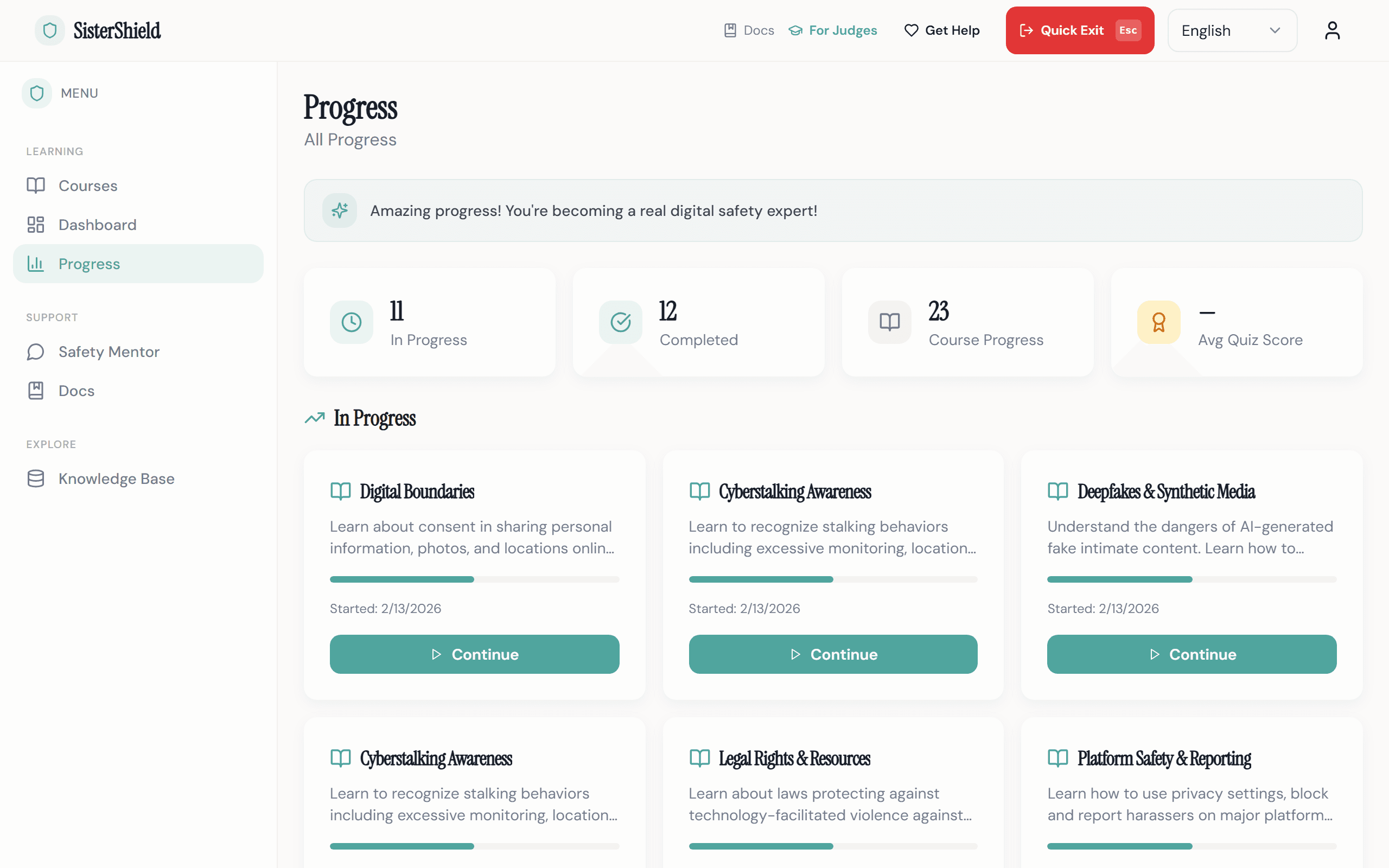
- Student progress tracking with quiz scores and completion data
- Full review control over all AI-generated content
- Courses take 10–15 minutes each, designed for class periods or independent study
- Multilingual support: currently EN + KO, extensible to any language
- Free access during the pilot program
How We Built This
From research to product, built through testing and iteration.
Research Foundation
Curated 153 verified documents from UN Women, WHO, UNESCO, UNICEF, ITU, ECPAT, and U.S. DOJ. Built a RAG pipeline to make every AI-generated claim traceable to its source.
The Enrollment Pivot
Originally built class-based enrollment with assignments. Then realized: enrollment creates data trails visible to anyone with device access, including potential abusers. Deleted three database models and rebuilt around anonymous, self-serve access.
User Testing & Feedback
Tested with students and educators. Students engaged longer with branching scenarios than static content. Teachers valued the review gate. Quick Exit was activated during testing, confirming the safety need is real.
Continuous Iteration
Based on feedback: added citation panels for source transparency, expanded knowledge base from 47 to 153 documents, implemented trauma-informed color palette, added multilingual support.
TODO: Add specific user testing data: number of participants, testing context, and key metrics
User Testing & Iteration
Built with real feedback, not assumptions.
Every major design decision was informed by testing with students and educators. Here are the key insights that shaped the product.
Students preferred branching scenarios
During testing, students engaged significantly longer with interactive branching stories compared to static safety content. This validated the visual novel approach.
Teachers valued the review gate
Educators consistently rated the mandatory teacher review as the most important trust feature. No AI content reaches students without human approval.
Quick Exit was used in testing
The Quick Exit button was activated during real user testing sessions, confirming that the safety need is genuine, not theoretical.
The enrollment pivot
We deleted three database models after realizing class enrollment creates data trails visible to potential abusers. Rebuilt around anonymous, self-serve access.
TODO
Testing Sessions
with students & educators
12+
Design Changes
from user feedback
47 → 153
Knowledge Base
documents expanded
Common Questions
What judges, parents, and schools want to know.
Is this appropriate for students under 18?
How does the AI work? Is it safe?
What data do you collect?
Can this work in our school?
What languages are supported?
Who built this and why?
If you or someone you know is in danger
SisterShield is an educational platform for prevention and awareness. It is not a crisis service or emergency response tool.
- Emergency: 112
- Women's Crisis Hotline (Korea, 24h): 1366
- Digital Sexual Crime Victim Support: 02-735-8994
- The Get Help button is available on every page of this platform
You are not alone. Reaching out is a sign of strength.
See SisterShield in action.
Experience the platform that turns safety knowledge into practiced skill.